
End-to-end analytics with Microsoft Fabric: Lakehouse to Power BI in one workspace
A practical walkthrough of building a production analytics pipeline in Microsoft Fabric. Ingestion, Lakehouse, Dataflow Gen2, semantic model, Direct Lake Power BI, and the decisions that save you from rebuilding it in a year.
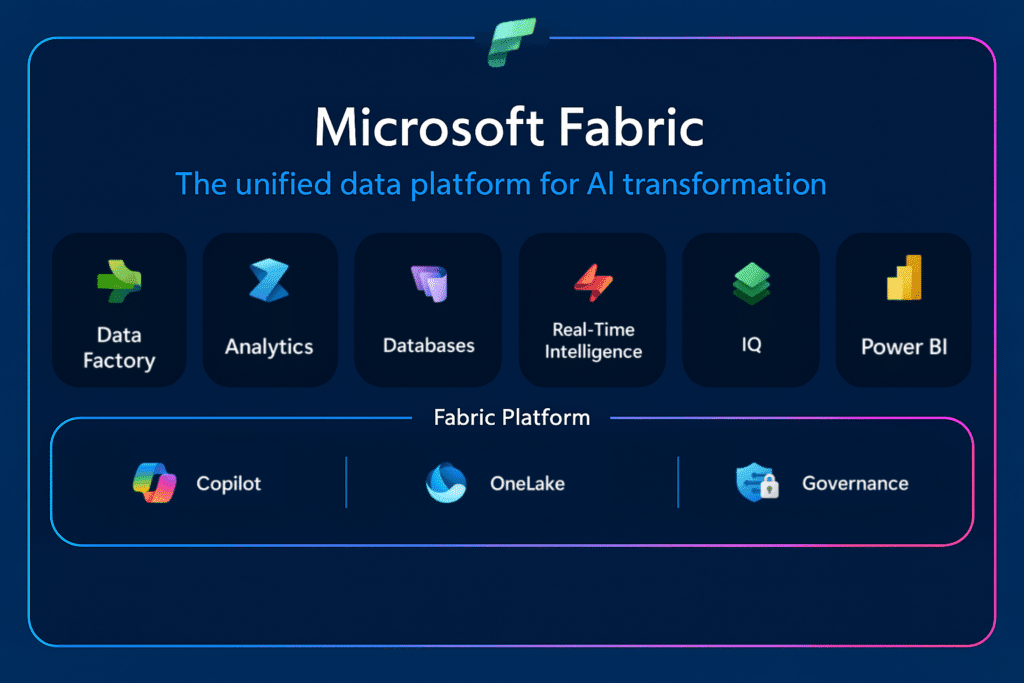
Microsoft Fabric is what happened when Microsoft took Azure Synapse, Data Factory, and Power BI and put them on one shared storage layer. The pitch is simple. One workspace, one copy of data, one bill. The reality is that the pitch is mostly true, if you make a handful of architectural decisions right up front. This post is how we build analytics pipelines on Fabric today for clients that do not want to rebuild the same thing in eighteen months.
The reference architecture
Source systems (SQL, SaaS APIs, files)
      ↓  Data Factory pipelines / Dataflow Gen2
Bronze Lakehouse (raw, append-only Delta tables)
      ↓  Dataflow Gen2 or notebooks
Silver Lakehouse (cleaned, typed, conformed)
      ↓  Dataflow Gen2 / SQL
Gold Lakehouse (dimensional model, star schema)
      ↓  Direct Lake
Semantic model
      ↓
Power BI reports
It is the classic medallion architecture, and it works in Fabric because everything is Delta on OneLake under the hood. Every layer is queryable by SQL endpoint, Spark, Power BI, and Dataflow Gen2 at the same time, without copying data.
Start by picking the right capacity
Fabric pricing is capacity-based, not per-query. An F2 is enough for a team of five kicking the tires. Most production workloads we see land between F8 and F32. Two rules that save money.
- One capacity per environment, not per workspace. Workspaces are free. Capacities cost money. Put dev, test, and prod on separate capacities for isolation. Put multiple workspaces on the same capacity for shared load.
- Pause non-prod capacities off-hours. Fabric capacities can be paused via API. A CI job that pauses dev and test at 7pm and resumes at 7am cuts those bills by 60%.
Bronze: raw and boring on purpose
The Bronze Lakehouse should be a dumb, append-only mirror of source systems. Schema mirrors the source. No renames, no type coercion, no joins. If the source schema changes, you add a new column and keep the old ones.
This is counterintuitive if you are coming from a classic warehouse mindset. The payoff is huge, though. When someone asks what the data looked like six months ago, before that source system got refactored, you can answer them. Every cleanup step downstream is a transformation, not a rewrite of history.
Silver: where you actually do the work
Silver is where types get fixed, keys get conformed across systems, and slowly-changing dimensions become explicit. Two patterns that matter:
- Dataflow Gen2 for the boring stuff. 80% of Silver transformations are renaming columns, casting types, dropping duplicates, and merging two tables. Dataflow Gen2 is faster to ship and easier to hand off to analysts than notebooks.
- Notebooks for the gnarly stuff. Window functions, deduplication with tiebreakers, schema evolution logic. Drop into a Spark notebook. Dataflow Gen2 forces you into awkward M code for anything complex.
The mistake we see most often is doing everything in one giant Dataflow because an analyst built it. It works for six months, then nobody can debug it. Mix both tools.
Gold: the star schema earns its keep
Gold is where dimensional modeling pays off. A well-designed star schema, with fact tables surrounded by conformed dimensions, makes Power BI faster, DAX simpler, and business questions answerable without rewriting SQL every time.
Two things are Fabric-specific here.
- Write Gold as Delta, not as views. Views on Silver look elegant, but they break Direct Lake mode. If you want the fast path in Power BI, Gold has to be physical tables.
- V-Order and partitioning. Enable V-Order on Gold tables. It is a free Fabric improvement. Partition large fact tables by date for predicate pushdown.
Direct Lake: the actual killer feature
Direct Lake is Fabric's answer to the import-vs-DirectQuery dilemma that Power BI users have fought for a decade. Instead of loading data into a cube (Import) or pushing every visual to the warehouse (DirectQuery), Direct Lake reads Parquet files from OneLake directly, lazily, and in memory.
The practical result: Power BI reports over billion-row tables open in a second or two, there is no refresh schedule to babysit, and the data is always fresh. For this to work, your Gold layer needs to be:
- Delta format with V-Order enabled.
- On a Fabric-native Lakehouse or Warehouse. Shortcuts to external storage do not get Direct Lake.
- Under the row-count limits for your capacity size.
If any of those fail, the semantic model silently falls back to DirectQuery, and your fast report suddenly is not. Monitor this. The Capacity Metrics app will show it.
Governance that scales past one team
- Domains for business areas like Finance, Sales, Marketing. Workspaces hang off domains.
- Row-level security at the semantic model. Do not try to do it in the Lakehouse. Too brittle, too hard to audit.
- Sensitivity labels on Gold datasets. Fabric propagates them into Power BI exports.
- Deployment pipelines for dev to test to prod promotion of Lakehouses, dataflows, and reports. Manual promotion will bite you.
When not to use Fabric
Fabric shines when you have Microsoft 365, SQL Server, and Power BI already. The integration story is genuinely good. It is a harder sell if your stack is Snowflake, dbt, and Looker, where you would be rebuilding a working system to switch tools. If your data volume is tiny, a Postgres and Metabase setup will get you there with a tenth of the operational complexity.
Talk to us
We have shipped Fabric implementations for clients ranging from scrappy growth teams to enterprises with hundreds of source systems. If you are evaluating Fabric, migrating from Synapse, or just want a sanity check on a proposed architecture, let us talk.